
Shots - AI Photo & Video Maker
DeePix AI AppsPhotography
4.71.09K Reviews
- Version
- 1.7.9
- Installs
- 1.00M
- Age Rating
- Teen
Screenshots
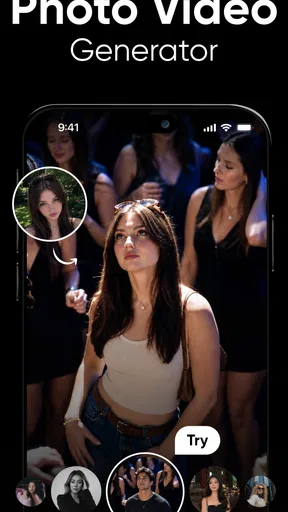
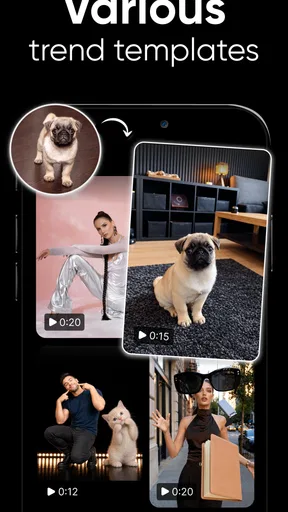

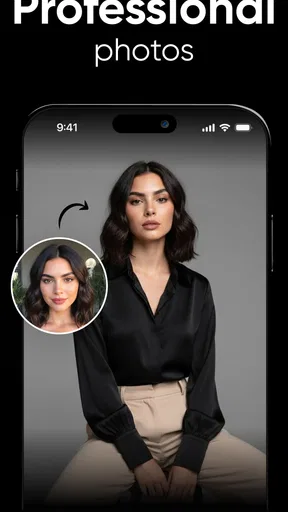
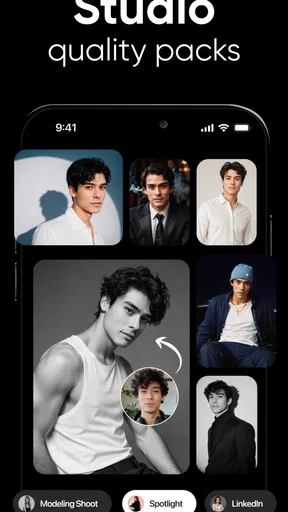
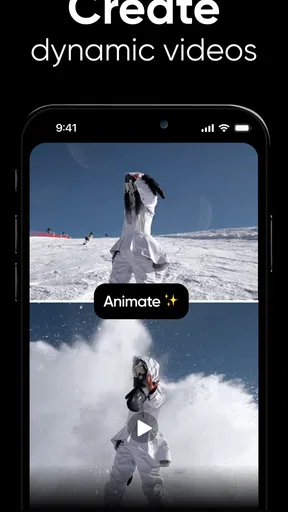
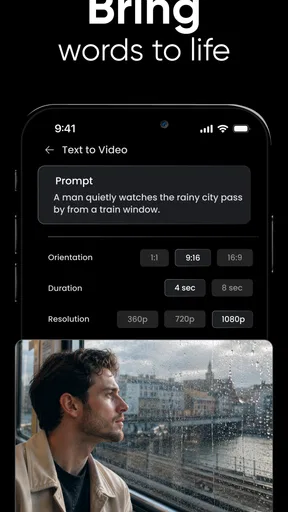
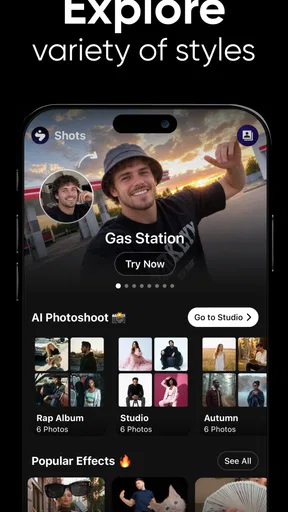
Our Review of Shots - AI Photo & Video Maker
 Analysis by Appyee
I often reach for a phone editor when I want a photo or short clip to feel more finished without opening a desktop program. Shots - AI Photo & Video Maker is aimed at that quick, creative middle ground: it combines AI-assisted image work with tools for making videos, so I can handle more than one kind of post in the same place. Its focus makes sense for people who want a polished result quickly, though I’d still treat any AI edit as a starting point rather than an automatic improvement.
That distinction matters when an app works with personal photos and videos. I like having creative tools close at hand, but I also want to know what choices I have before importing anything sensitive. I approach this app as a handy editor, not as a place to store irreplaceable originals or as a substitute for checking how a finished image looks outside the editing screen.
Who will get the most from it
I can see it fitting someone who makes casual social posts, experiments with portrait looks, or wants to turn a few camera-roll clips into a more deliberate little video. It is especially appealing if switching between separate photo and video apps feels like unnecessary work. DeePix AI Apps has built it around that quick-creation idea, and the photography category is a fair home for an app that also reaches into short-form video.
It is less suited to a photographer who needs fine control over every adjustment, repeatable color work, or a carefully organized archive. In those situations, a traditional photo editor with explicit sliders and project management is likely the better tool. I would also skip it if my priority were simply trimming a clip with no effects or creative decisions: the phone’s built-in editor may be faster for that narrow job.
A practical way to use the AI
My best advice is to start with a copy of a photo, especially when the original matters. Try an enhancement, then compare the result with the unedited version at normal screen size and zoom in around hair, glasses, and the edges of clothing. AI can make a portrait feel clearer while also smoothing away detail or making a background edge look unnatural. A quick side-by-side check is more useful than judging the result only in the editor’s preview.
For a short video, I would choose the clips first and decide what the main moment is before applying transitions or suggestions. That keeps the edit from becoming a string of effects with no clear story. If the automatic choices do not suit the pace, trimming manually is a sensible fallback; the AI is most useful as a nudge when I am unsure where to begin, not as a creative director whose choices I must accept.
A believable everyday scenario
Imagine I have a few clips from a weekend walk and one portrait I like, but the light is flat and I want something presentable to share that evening. I could improve the portrait, make a simple video from the strongest clips, and then review both outputs before posting. Keeping the project small is a useful way to learn what the app does well without spending time polishing footage I may never use.
I would also keep a clean version of anything I may want to reuse. A social post can be cropped, compressed, or styled for one occasion, while the original remains useful for a different layout later. Treating those as separate files avoids the common frustration of discovering that the only copy left is already edited for the wrong purpose.
First Impressions: User Interface and Experience
When I first launched the app, I was greeted with a sleek and intuitive interface. It’s clear that the developers have put a lot of thought into making it user-friendly. The layout is clean, and the buttons are well-placed, making navigation a breeze even if you’re not tech-savvy.
The onboarding process was straightforward, guiding me through the core features without overwhelming me with too much information at once. It’s perfect for those of us who want to jump right in and start creating magic without a steep learning curve.
Features That Stand Out
One of the most impressive features is the automatic photo enhancement. With just one tap, the app uses AI to adjust brightness, contrast, and color balance, transforming dull images into vibrant, eye-catching photos. It’s almost like having a professional photographer tweak your shots.
Another highlight is the range of filters and effects. Whether you’re aiming for a vintage look or something more modern, there’s a filter for every mood. The app also offers a bunch of creative tools like stickers, text, and frames, allowing you to personalize your creations effortlessly.
Now, I couldn’t miss mentioning the video editing capabilities. The app lets you trim, merge, and add transitions with ease. Plus, the AI-powered suggestions help you choose the best clips and transitions to keep your audience engaged. It’s like having a director’s assistant whispering in your ear!
The AI Edge
What really sets this app apart is its AI-driven functionalities. The face recognition feature is spot-on, making it easy to highlight and enhance the main subject in your photos. And let’s not forget the background removal tool. It’s incredibly precise, letting you change backgrounds like a pro without any effort.
If you’re into creating photo collages, this app has got you covered. The AI suggests layouts based on your selected images, making the process seamless and fun. It’s like having a virtual artist helping you craft the perfect visual story.
Performance and Reliability
While testing, I found the app to be quite stable. It didn’t crash or lag, even when I loaded it with high-resolution images and videos. The editing processes were smooth, and the exports were quick, saving me a lot of time.
The app also supports sharing directly to social media platforms, which is a huge plus for those of us who love showing off our creations instantly. It integrates seamlessly with Instagram, Facebook, and other popular sites, making it easy to share your artistry with the world.
Some Minor Hiccups
Of course, no app is perfect. While it comes close, there were a couple of minor hiccups. Occasionally, the AI suggestions didn’t quite match what I was looking for, especially with more complex edits. However, this was easily fixed with a bit of manual tweaking.
Also, while the free version of the app offers a lot, some of the more advanced features are locked behind a paywall. It’s something to consider if you’re planning to use the app extensively.
Privacy and control deserve a pause
Because this is a photo and video editor, the moments that deserve extra care are the ones involving faces, family pictures, or images taken in private spaces. Before granting access to a camera roll, I would review the permission prompt and choose the narrowest access option available on my device if I only need to edit a few selected items. That is a practical device-level precaution, not a claim about how the app handles files behind the scenes.
I would avoid importing documents, private screenshots, or anything I would not want to use in a creative project. For a sensitive portrait, I would also decide whether the AI effect is worth applying before I start, rather than experimenting with a batch of personal images out of habit. Small choices like these keep the workflow intentional without getting in the way of ordinary editing.
Pricing, version, and a sensible trial
The app is free to install, and its in-app purchases range from $0.99 to $79.99 per item. That is a wide span, so I would explore the free tools first and check the purchase screen carefully before confirming anything. I would not pay simply because an effect looks appealing in a preview; first I’d make sure the feature addresses a task I expect to repeat.
It has a 4.4 average from around 3K ratings, with 495 written reviews and over 100K installs. Those figures suggest that people are finding and using it, but they do not tell me whether a particular AI result will suit my photos. The app is currently at version 1.6.9 and requires Android 9 or later; the age rating is Teen. I would check compatibility and purchase details on my own device before building a regular workflow around it.
How it compares with familiar editors
Compared with a basic gallery editor, this app brings more creative options into one workflow, particularly when I want to move from an enhanced still image to a short edited video. Compared with a dedicated professional editor, the appeal is convenience rather than deep control. A specialist tool is preferable when I need exact color adjustments, layered work, or a precise export routine; here, the attraction is being able to experiment without learning a complicated interface first.
That trade-off also helps answer whether it belongs on every phone. If I regularly make portraits, collages, and short social clips, keeping one flexible editor available is worthwhile. If I only crop a picture once in a while, or I need strict control over every edit, a simpler built-in tool or a more focused editor will probably suit me better.
Final Thoughts
Overall, I’m genuinely impressed with Shots - AI Photo & Video Maker. It’s a powerful tool for anyone looking to enhance their photos and videos without diving into complex software. The AI features are particularly noteworthy, simplifying tasks that would typically require advanced editing skills.
Whether you’re a casual photographer or a social media enthusiast, this app is definitely worth a try. With its intuitive design and robust features, it’s like having a creative powerhouse at your fingertips. So why not give it a shot and see how it can transform your visual content?
If you’re ready to explore, you can easily find the download links on our website. Happy editing!
Privacy and Permissions
See what permissions an app requests and how it handles your data.
- Photos/Media/Files
- read the contents of your USB storage, modify or delete the contents of your USB storage
- Storage
- read the contents of your USB storage, modify or delete the contents of your USB storage
- Camera
- take pictures and videos
- Microphone
- record audio
- Wi-Fi connection information
- view Wi-Fi connections
- Other
- view network connections, full network access, run at startup, draw over other apps, control vibration, prevent device from sleeping, Google Play license check
Verdict
Strengths of Shots - AI Photo & Video Maker
- User-friendly interface for all skill levels.
- Wide range of creative filters and effects.
- AI enhances photo quality effortlessly.
- Supports various video formats seamlessly.
- Regular updates with new features.
Limitations of Shots - AI Photo & Video Maker
- Some features require in-app purchases.
- Occasional lag on older devices.
- Limited offline functionality.
- High battery consumption during use.
- Ads can be intrusive at times.
Other Releases by DeePix AI Apps
View All
Dance AI: AI Dance Video Maker
Photography4.3
Similar Picks in This Category
View All
Google Photos
Google LLC4.4

Gallery
Google LLC4.2

Picsart AI Photo Editor, Video
PicsArt, Inc.3.9

B612 AI Photo&Video Editor
SNOW Corporation4.1

BeautyPlus-Selfie Photo Editor
PIXOCIAL TECHNOLOGY (SINGAPORE) PTE. LTD.4.5

Remini - AI Photo Enhancer
Bending Spoons4.1
Frequently Asked Questions
What is Shots - AI Photo & Video Maker?
Shots - AI Photo & Video Maker is an innovative application designed to enhance your photography and videography experience using advanced AI technology. It offers features like automatic editing, filters, effects, and creative tools to transform your photos and videos into stunning visual content with ease.
Is Shots - AI Photo & Video Maker free to use?
The app offers both free and premium versions. The free version includes a range of basic features, while the premium version unlocks additional tools and effects for a more comprehensive editing experience. Subscriptions may be available for those seeking access to all premium features.
What are the main features of Shots - AI Photo & Video Maker?
Some of the standout features include AI-driven photo and video editing, a wide variety of filters and effects, customizable templates for quick edits, and tools for creating professional-quality content. The app also allows for seamless social media sharing, enhancing your online presence effortlessly.
How user-friendly is Shots - AI Photo & Video Maker?
The app is designed with a user-friendly interface that caters to both beginners and experienced users. With intuitive navigation, clear instructions, and easy-to-use tools, it ensures a smooth editing process. User feedback often highlights its accessibility and efficient performance.
What are the device compatibility requirements for Shots - AI Photo & Video Maker?
Shots - AI Photo & Video Maker is compatible with both Android and iOS devices. It typically requires a recent operating system version to ensure optimal performance and access to the latest features. Users are advised to check the specific OS requirements on the app's download page.
